
Safe-to-Spend
Your Safe-to-Spend is where your budget get puts into action. It’s the main number you will focus on when planning your day-to-day spending and it’s based on your Weekly Spending Limit. Your Safe-to-Spend is the large number at the top of the dashboard and it show’s the amount still available for day-to-day spending during the current week.
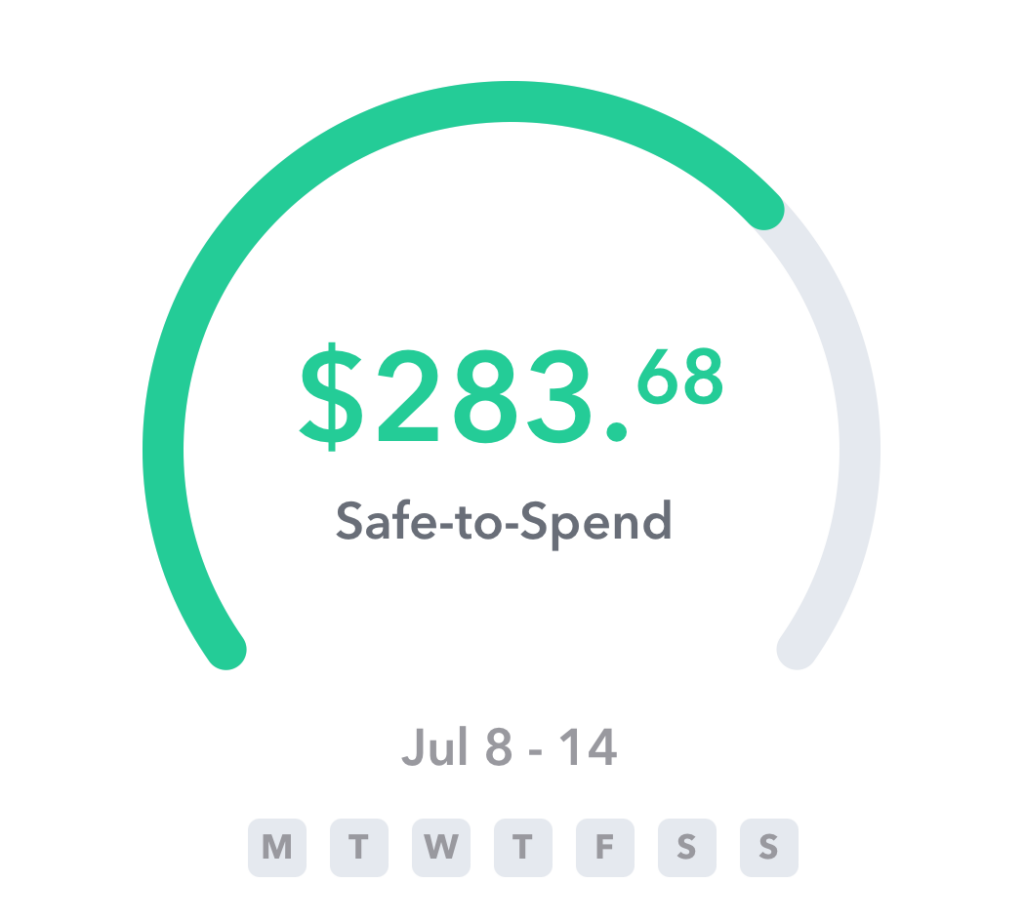
How is Your Safe-to-Spend Calculated?
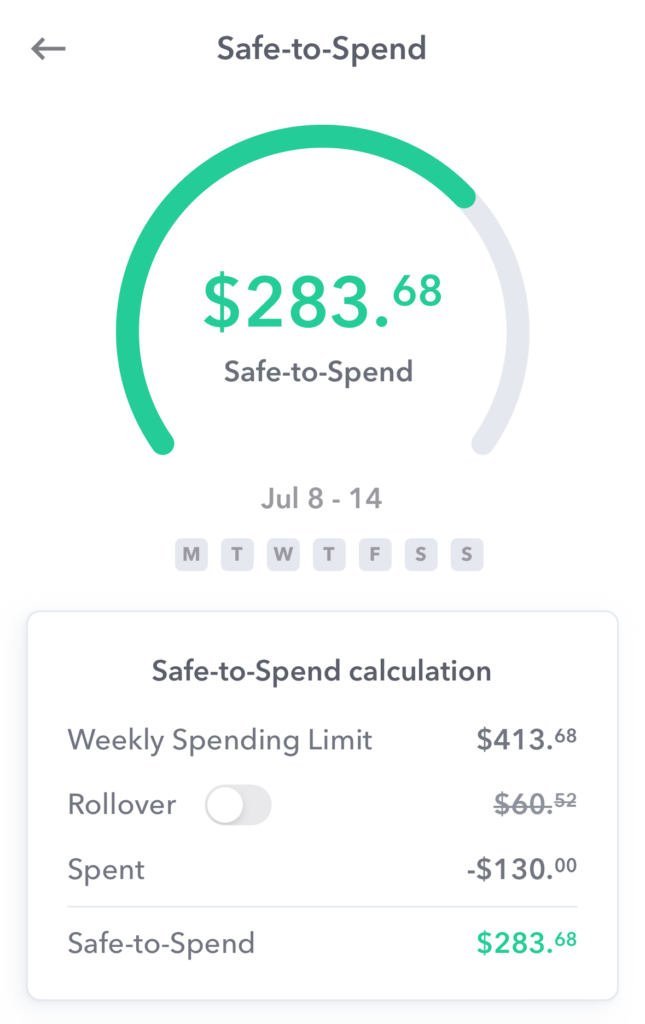
The calculation for the Safe-to-Spend is as follows:
- Weekly Spending Limit
- +/- Rollover from previous week
- – Current week transactions
- = Safe-to-Spend
Your Safe-to-Spend starts with your current Weekly Spending Limit. If your Weekly Spending Limit changes during the week your Safe-to-Spend will immediately update. From there we add or subtract the ending Safe-to-Spend balance from the previous week (if rollover is enabled for the week). Then we subtract any spending transactions from the current week. If you have any income transactions marked as Safe-to-Spend those will increase your Safe-to-Spend. (Typically income is handled as recurring).
You can see exactly how your Safe-to-Spend is calculated on the detail page. Tap the Safe-to-Spend card at the top of the dashboard to get to this page.
Safe-to-Spend is not Cash
Your Safe-to-Spend is not related to your checking account balance. It’s a calculated number based primarily on your Weekly Spending Limit. Weekly intentionally separates your Safe-to-Spend from your bank account balance to give you a consistent amount to spend each week. Learn more about our philosophy in the Using Averages article.
Conclusion
Your Safe-to-Spend is the most important number to focus one when managing day-to-day spending. Having one number to concentrate on helps reduce the need for categorization and makes budgeting easier.
Safe-to-Spend Widget
Your Safe-to-Spend is important to keep close. It keeps you in touch with how much money can spend as you move through your daily life. It’s like your financial weather gauge!
Well, to keep you one step closer to your Safe-to-Spend, we have created an Apple widget that will show your Safe-to-Spend right on the home screen without you having to open the app to see it. Here’s what it looks like.
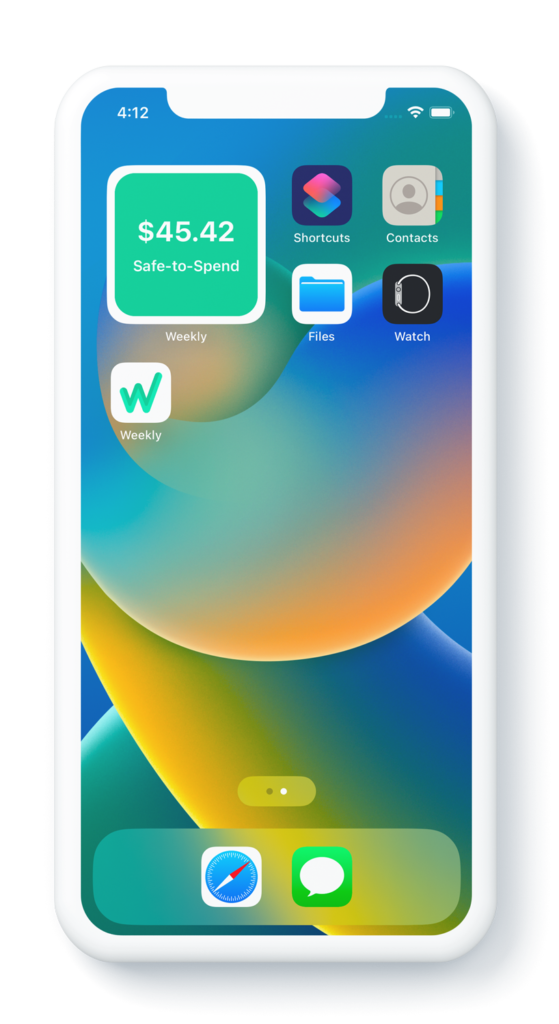
What is a widget? A widget is a display on the home screen of your phone that surfaces important information that you may want to see without opening an app. For example, widgets can show your current weather forecast from the Weather app or the current stock prices from the Stocks app. So we have created a widget that will show you your Safe-to-Spend right on your homepage without having to open the app.
If you are interested in having using the Weekly widget, here are the steps to getting it showing on your home screen.
How to enable the Weekly widget
Creating the widget on your home screen in easy. Here are the steps.
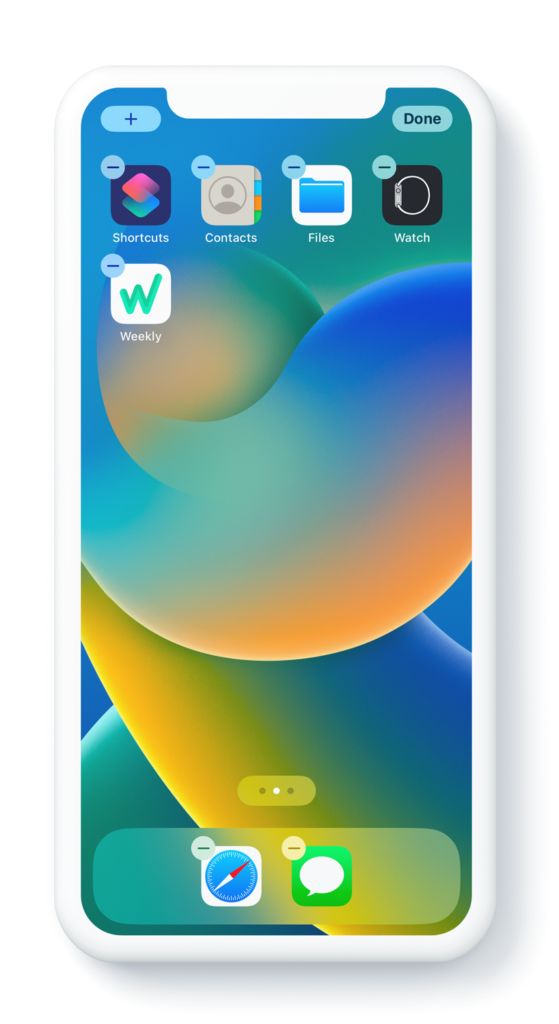
Step 1 – Open your phone and hold down your finger on an open space on your home screen until the app icons wiggle. Hit the plus sign in the top left corner. This brings up the add widget dialog.
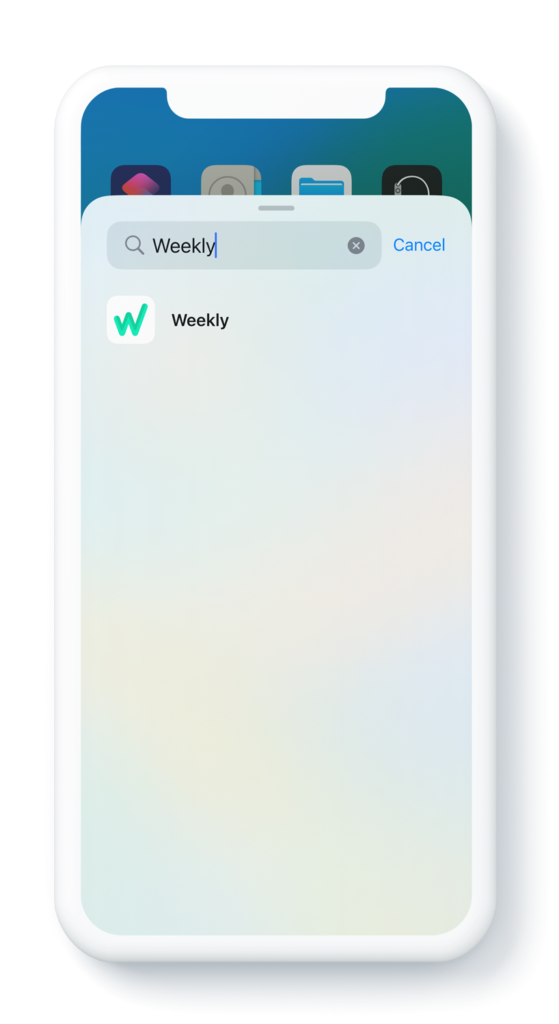
Step 2 – Search for the Weekly app
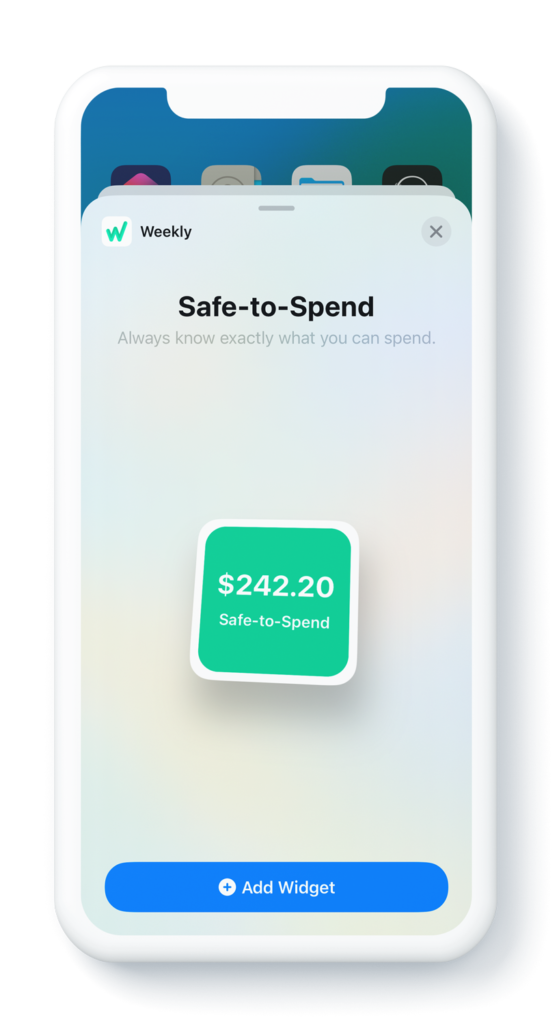
Step 3: Preview the widget. (Note: The preview will always show the placeholder amount of $242.50.)
Step 4: Enjoy the widget. You will now see the widget on your home screen showing your current Safe-to-Spend amount. PS: if you ever want it to go away, you press and hold and the click “Remove Widget”.
Here’s a video of the entire process.
Please let us know what you think!
Why doesn’t my Safe-to-Spend match my checking account balance?
If you’re just getting started with Weekly it’s possible that your checking account balance may be less than your Safe-to-Spend.
If this is the case we recommend increasing your committed savings amount to keep your spending less than the cash you have on hand. Over time your reduced spending will increase the cash in your checking account and you’ll be on a path towards greater financial freedom.